URSee companion · on the App Store
Every DeckLink feed, floating in your room.
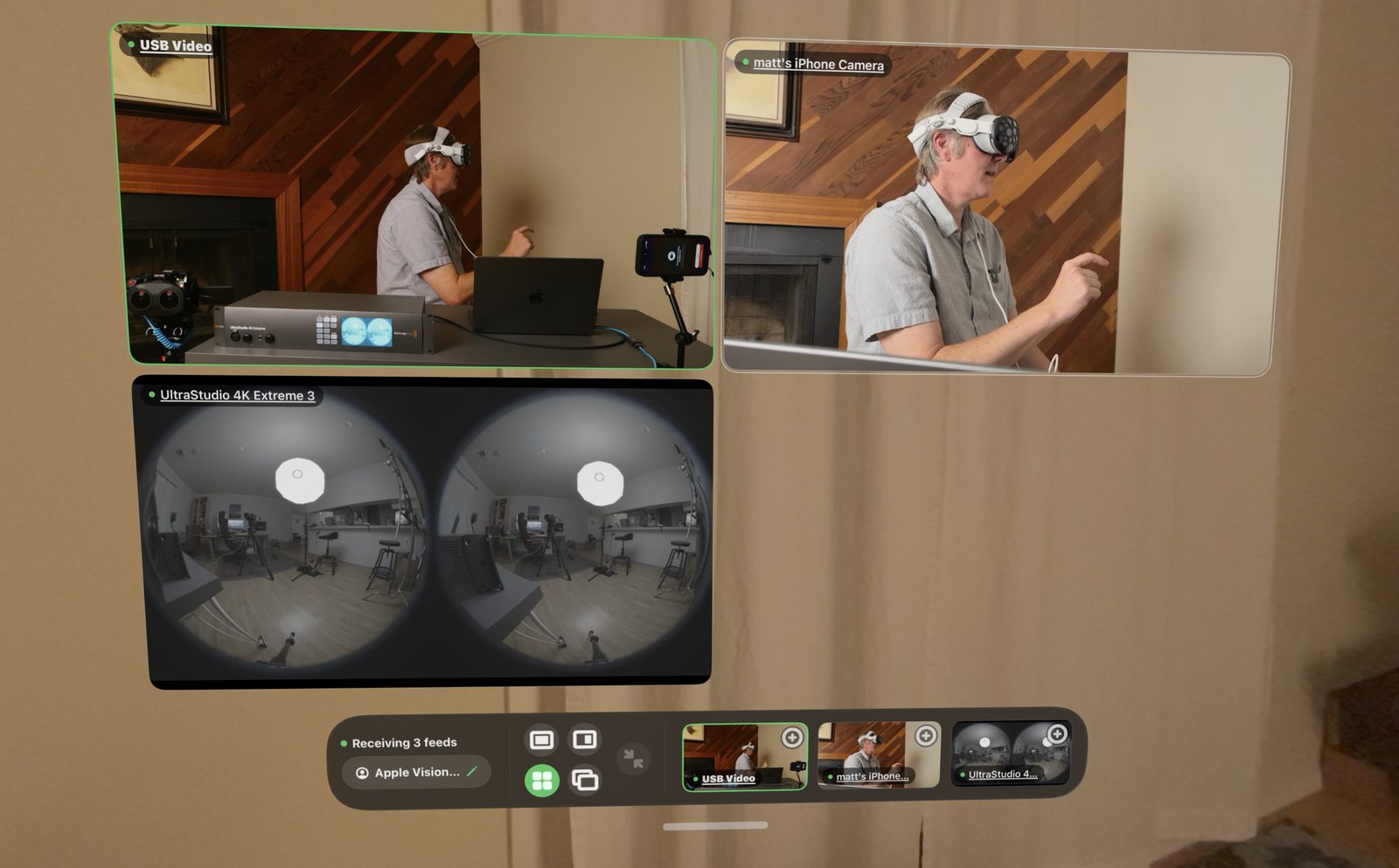
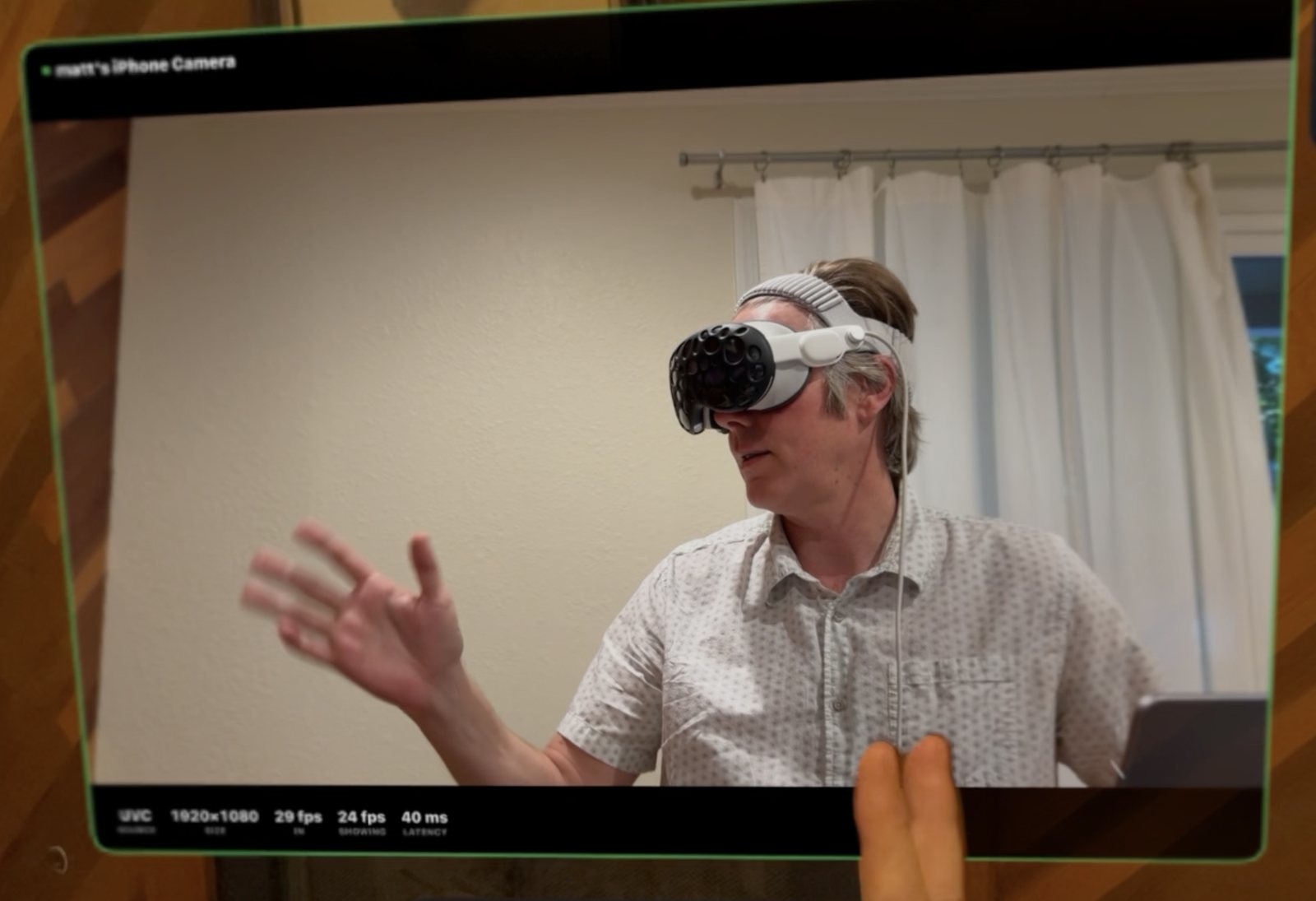
DeckSee is 2D multicam monitoring on Apple Vision Pro. DeckSee Streamer on the Mac ingests your DeckLink rig and streams every feed to the headset as crisp floating panels — one hero view, the rest on a rail. Tap any panel to make it the hero. Same zero-configuration DNA as URSee, built for regular cameras.
The idea
URSee's DNA, for 2D cameras.
Not every shoot is immersive. DeckSee takes the same pipeline that powers URSee — DeckLink ingest, automatic discovery, self-tuning delivery — and points it at ordinary 2D multicam rigs.
Hero + rail viewer
One big hero panel, every other feed on a rail beside it. Tap a rail panel and it becomes the hero, instantly.
Plug in and it appears
DeckSee Streamer finds your DeckLink feeds; the headset finds DeckSee Streamer. No IPs, no stream keys.
Plays nice with URSee
Separate apps, separate streams. Run both on the same Mac and each headset sees exactly the system it asked for.
The apps
Two apps. One 2D multicam system.

Vision Pro
DeckSee
The multicam viewer
Every feed as a floating panel — one hero, the rest on a rail.
- Hero + rail floating panels
- Tap any rail feed to make it hero
- Wi-Fi, or Thunderbolt wired
Free
Requires DeckSee Streamer for Mac

Mac
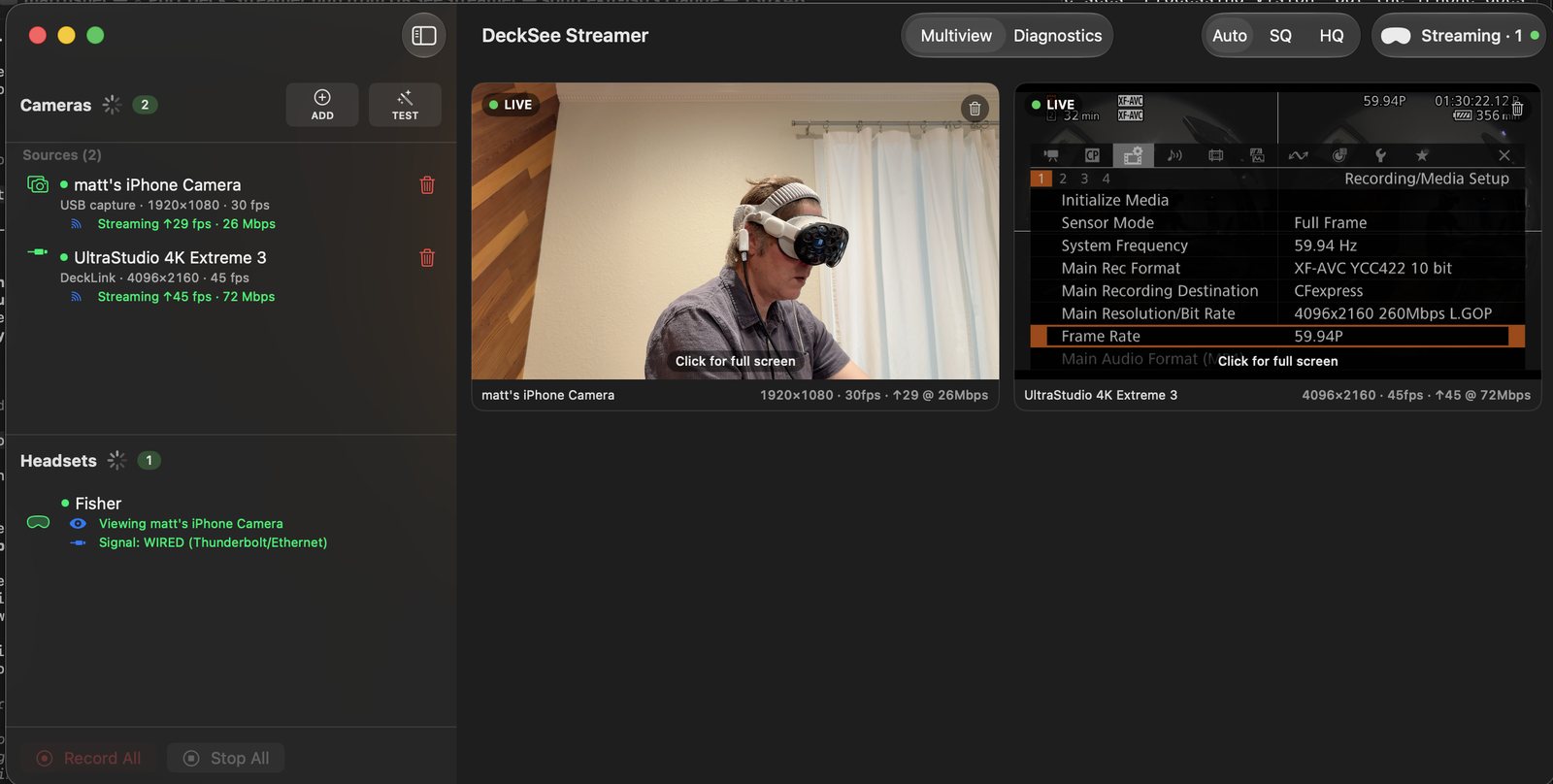
DeckSee Streamer
The hub
Ingests the DeckLink rig and streams every feed to every headset.
- DeckLink ingest, live multiview
- Zero-configuration discovery
- Runs alongside URSee Streamer
$49.99

Screenshots
See it in the room.
Videos
Tutorials, coming soon.
First stream in five minutes
Plug the DeckLink rig into DeckSee Streamer, put on the headset, feeds appear.
Hero + rail walkthrough
Arrange the panels, swap the hero, and monitor a whole show from anywhere on set.
Multiple headsets
Feed the director, the client, and the DP at the same time from one Mac.
Support
The manual.
Setup, layouts, wired connections, and troubleshooting — the whole system in one guide.
Early birds
Interested? Say hello.
DeckSee is on the App Store now. If a 2D multicam monitor on Vision Pro fits your workflow, we would love to hear about your rig.