Live 3D Preview of the URSA Cine Immersive in the Vision Pro
The complete monitoring system for the URSA Cine Immersive: in the field, in the studio, or on a multi-camera stadium set. Multiple Vision Pros and a Mac for wireless streaming, or Thunderbolt to Dev Strap for full 4K 200 Mbps streams. iPhone and iPad app for camera control and a live monitor in your pocket.


The camera
Built for the Blackmagic URSA Cine Immersive.
It shoots Apple Immersive Video, but getting a live preview has never been possible — until now. Experience URSee and actually see what you are going to film.
Drag to spin
The system
Three Apps. Seven ways to monitor.
Each app is useful alone, but together they form a complete monitoring solution for the URSA Cine Immersive. One system takes the video feeds and supplies the headsets, another gets those feeds into a dome for correct stereoscopic viewing, and everything manages itself.
- Wireless from URSee Streamer to every Vision Pro
- Thunderbolt wired to headset
- Field kit — SDI to dongle to headset, no Mac
- iPhone / iPad pocket monitor, wireless
- USB-C into Mac
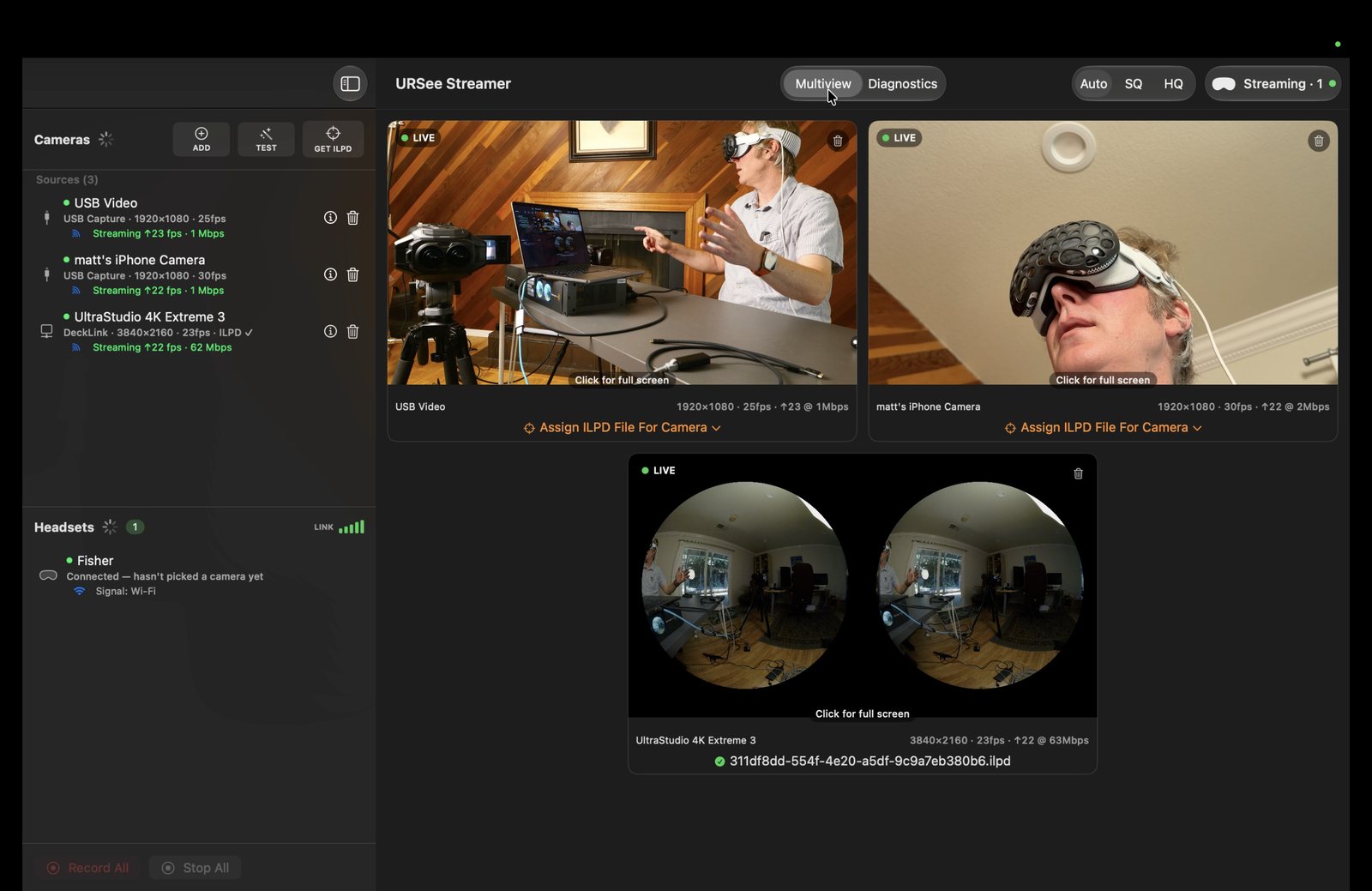
- URSee Streamer multiview
- URSee Streamer with Ethernet to headset — best Wi-Fi solution

Mac
URSee Streamer
The hub
Plug in anything and it appears. One click streams it to every headset, and it is a broadcast-grade village monitor in its own right.
- DeckLink · UltraStudio · UVC · SRT in
- GPU multiview: full res, source rate
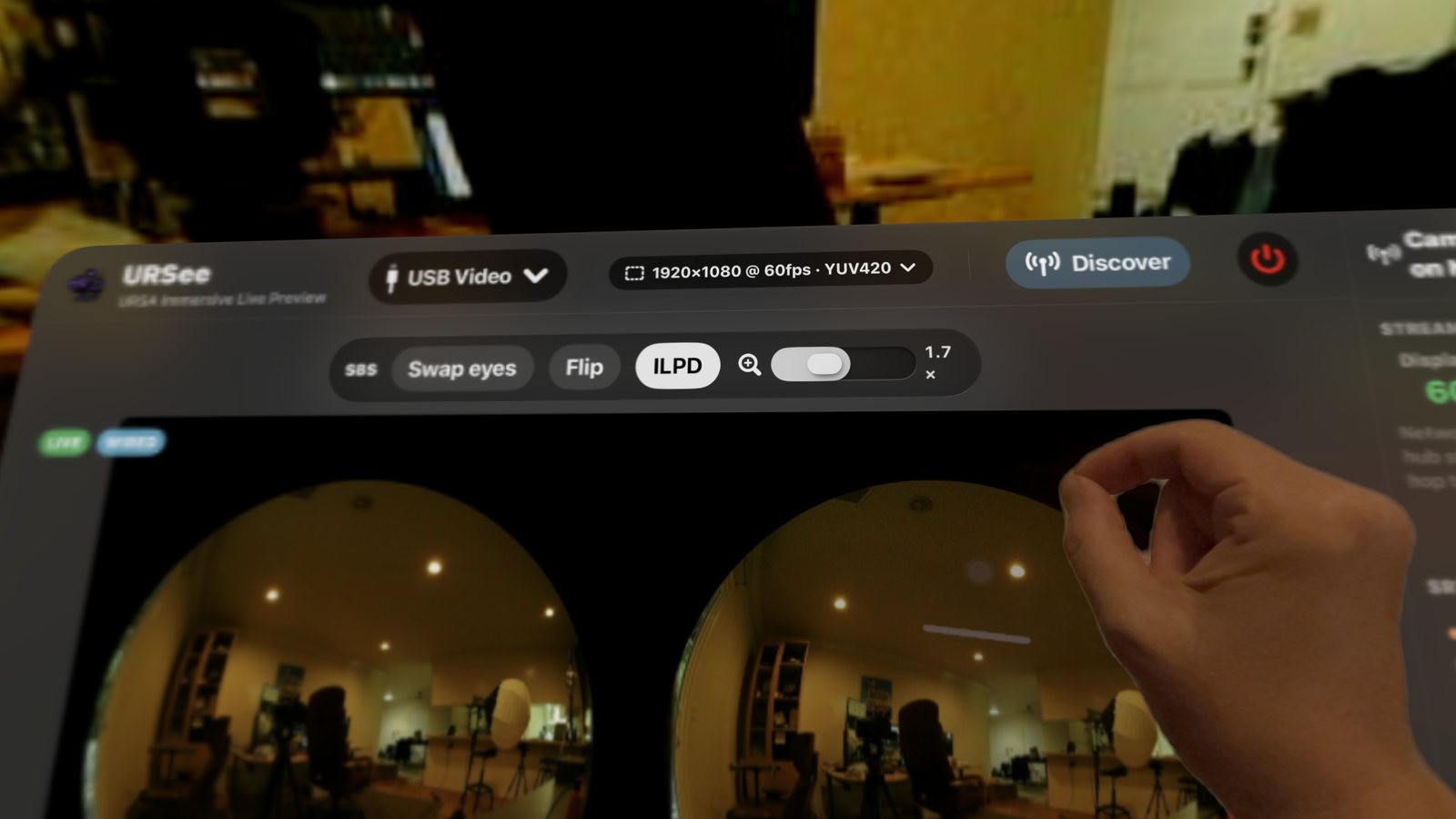
- Look Around: magnify real 4K pixels
- Camera lens calibration (ILPD) library
- Record All / Stop All camera control
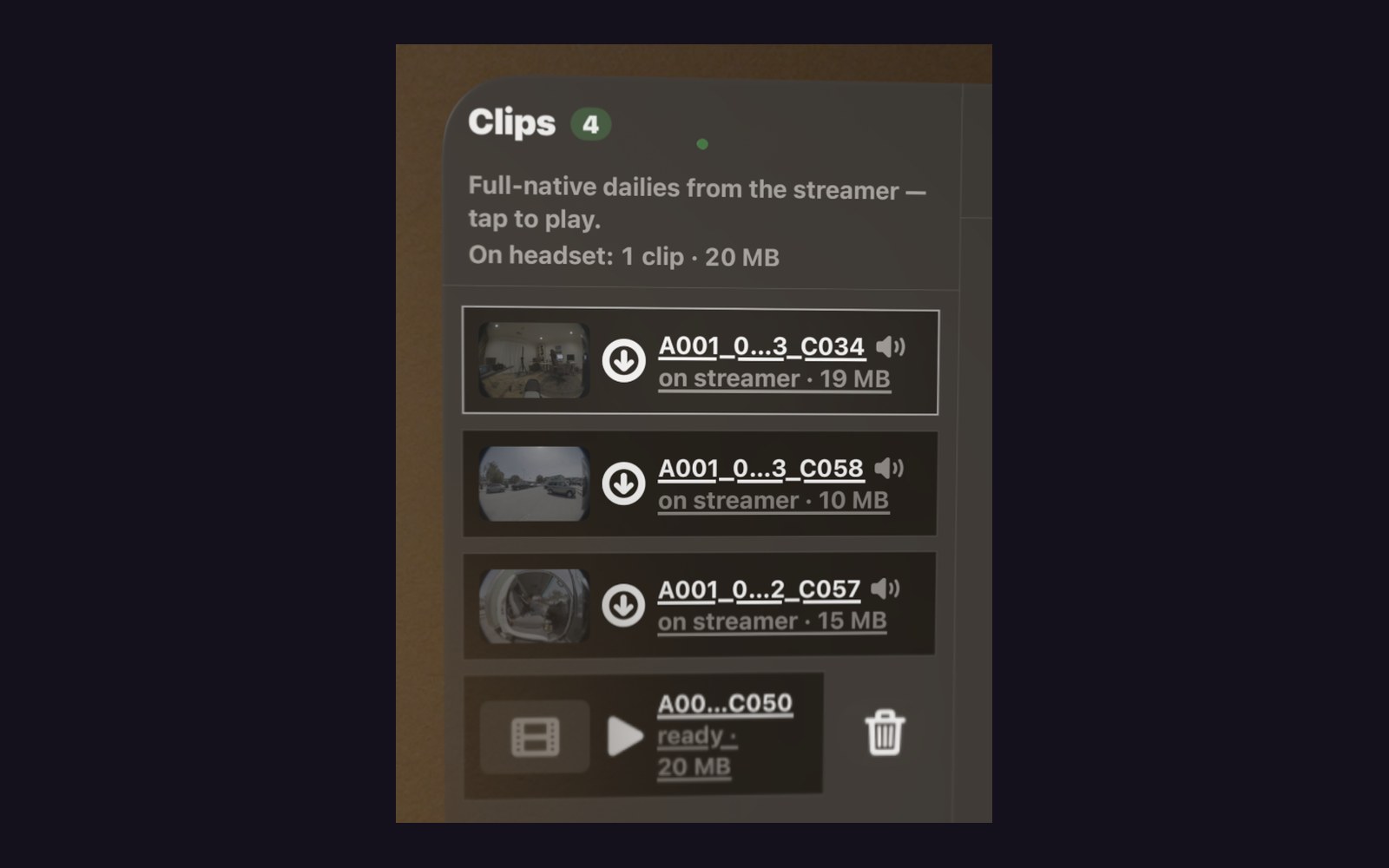
- Clips: BRAW in, full-native dailies to every headset
- Headsets panel: every viewer, named
$49.99


Vision Pro
URSee
The immersive monitor
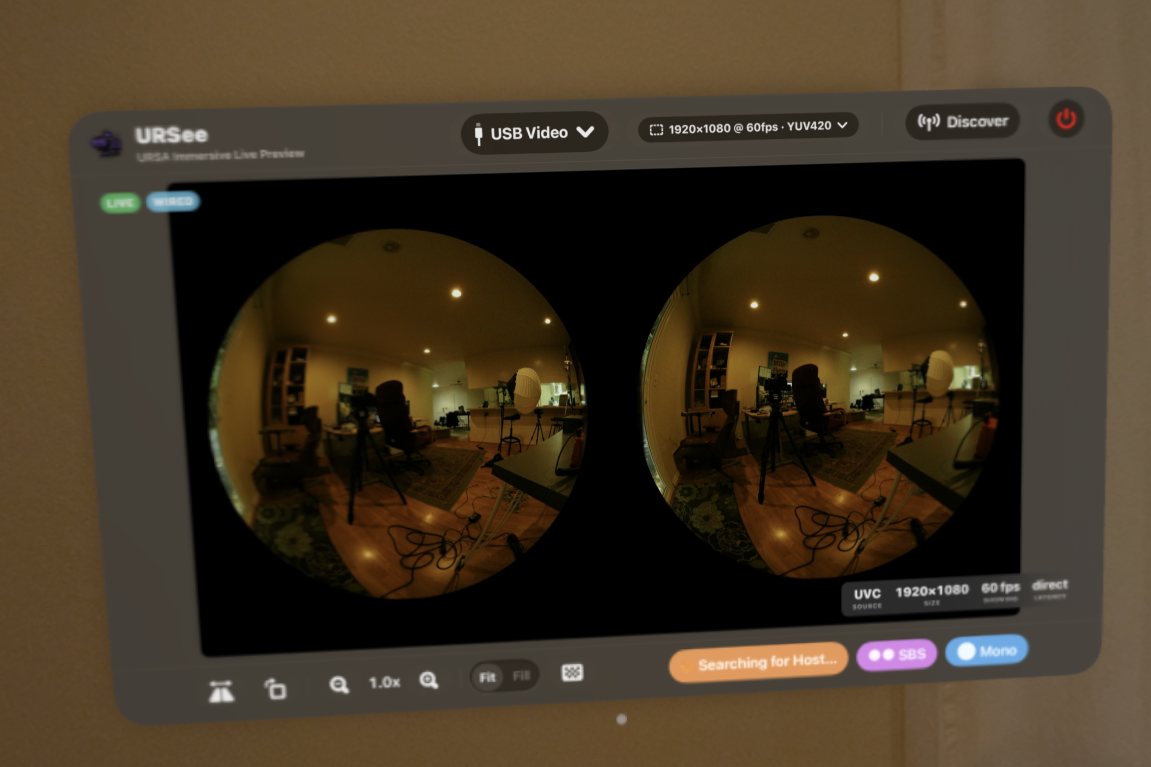
Feeds appear the moment the hub streams. Tap a camera and you are inside the 180° stereoscopic dome.
- Lens-calibrated stereo dome (ILPD)
- Every headset picks its own camera
- Instant switching, nobody affected
- Wired UVC up to 60 fps, or wireless from URSee Streamer at 30 fps
- Upload an ILPD file in the field if you need to
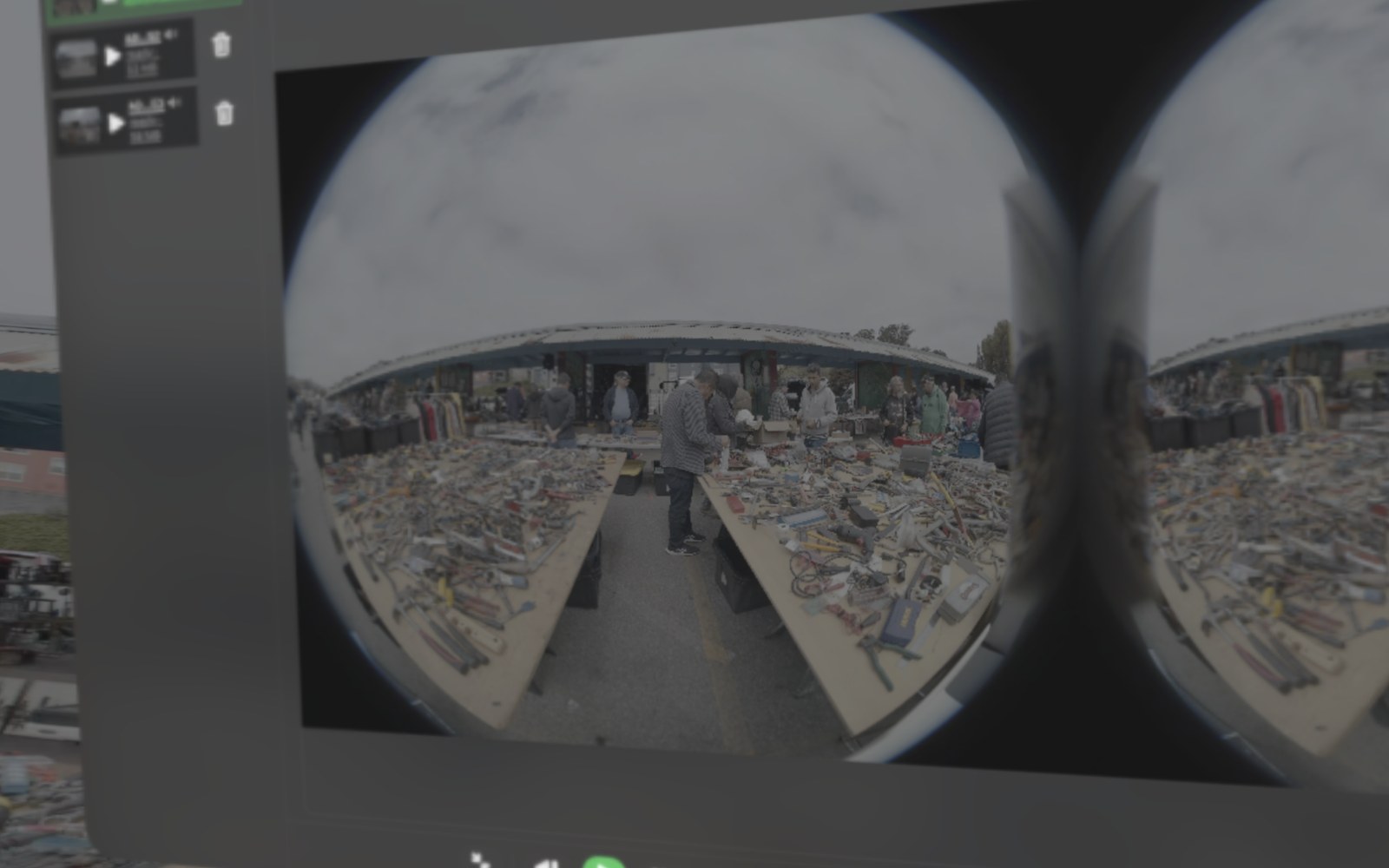
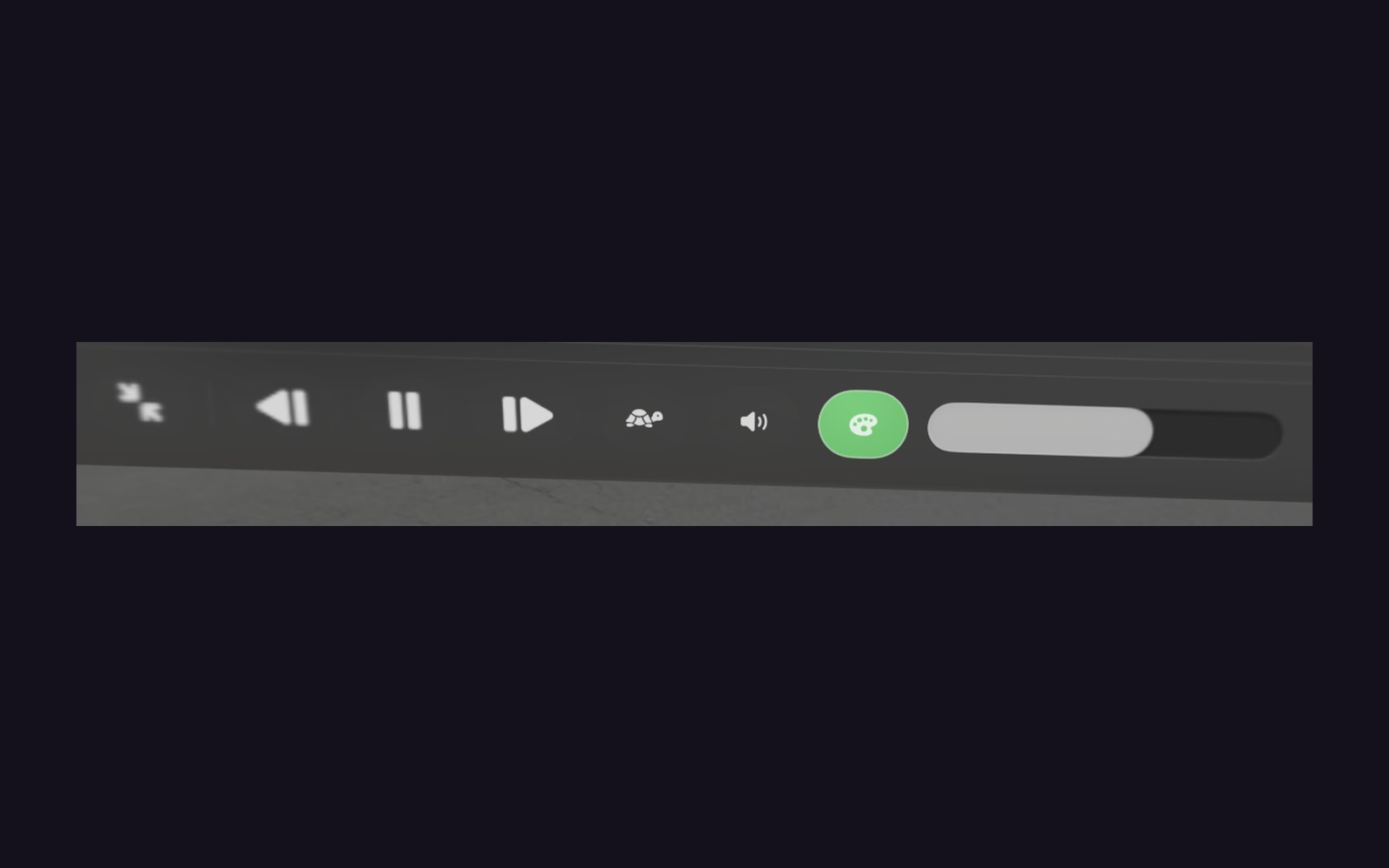
- Clips playback: color correction, slow motion, freeze frame, audio
$49.99


iPhone / iPad
URSee Remote
Camera control, pocket monitor
The whole camera REST API in one hand, with live feeds streaming from the URSee Streamer app.
- Transport · ISO · WB · shutter · ND
- Convergence, media, spatial audio
- Timelapse, slate, and more
- Connect to camera by IP
- Fullscreen pinch-zoom monitor mode
$49.99
Coming soon to the App Store
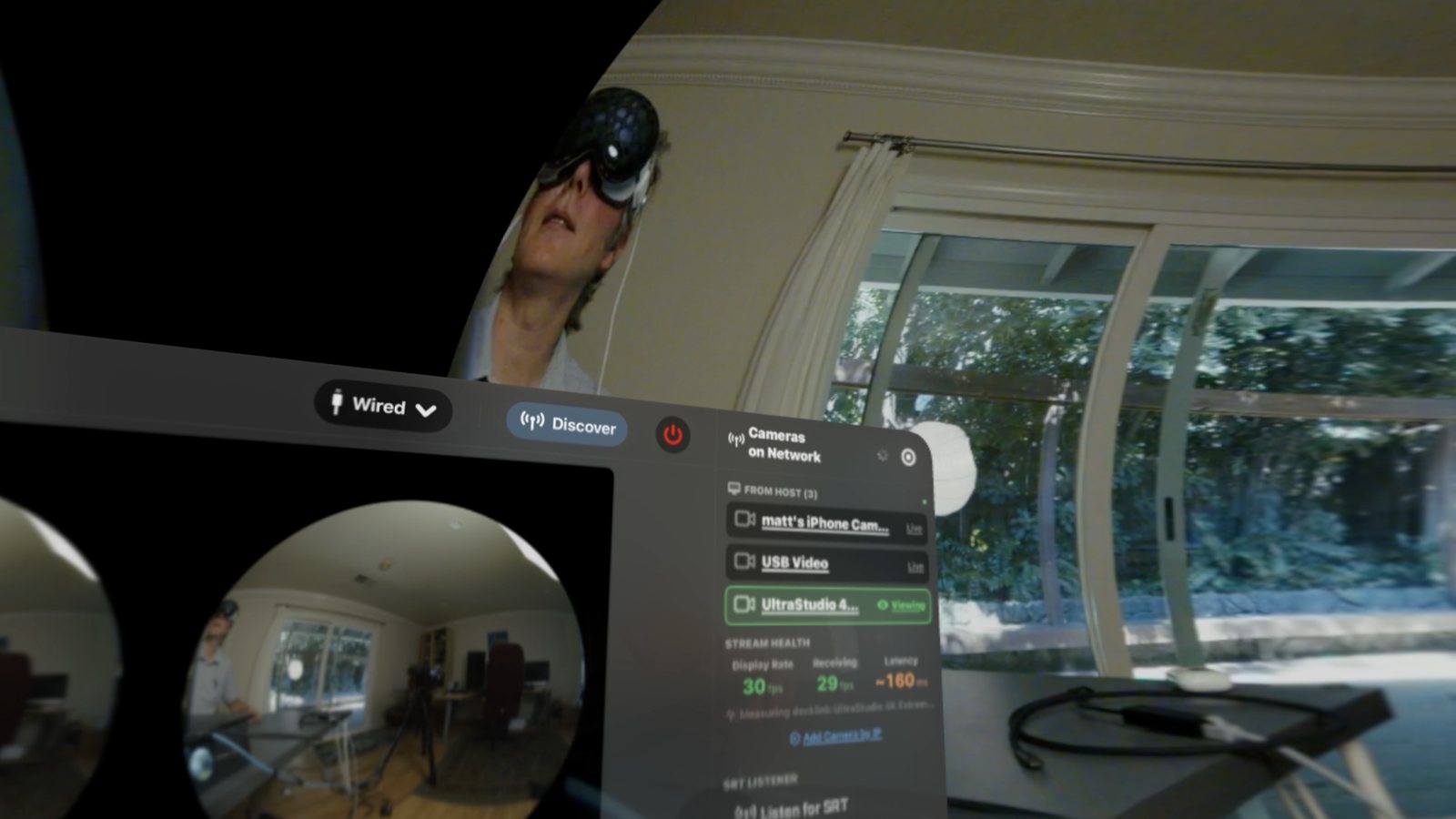
The difference
Every headset chooses their own feed, viewed in an ILPD dome.
Every camera can stream to every headset, each person picking their own feed to watch. Switching is instant, and no one is waiting on anyone else to see anything. Full access to all incoming DeckLink streams.
Drag to spin
01
Calibration that travels by itself
Load each camera's ILPD file once, on the Mac or on the headset. The app remembers it forever — plug in next time and everything loads up correctly.
02
A network that manages itself
The app is smart enough to get every viewer the best connection possible with whatever is plugged in. Wired viewers get full rate, Wi-Fi viewers adapt automatically, and unwatched cameras idle down.
03
The wired director's chair
One Thunderbolt cable from the Mac to the headset's Developer Strap: zero setup, up to 200 Mbps at 4K — you never have to worry about the venue Wi-Fi.
04
Zero setup, full visibility
No IP addresses, no stream keys — headsets find the hub by themselves. Ingest from DeckLink, UltraStudio, any UVC device, or SRT. Latency shows live on-glass, and the hub names every viewer and their camera.
05
Dailies before you leave set
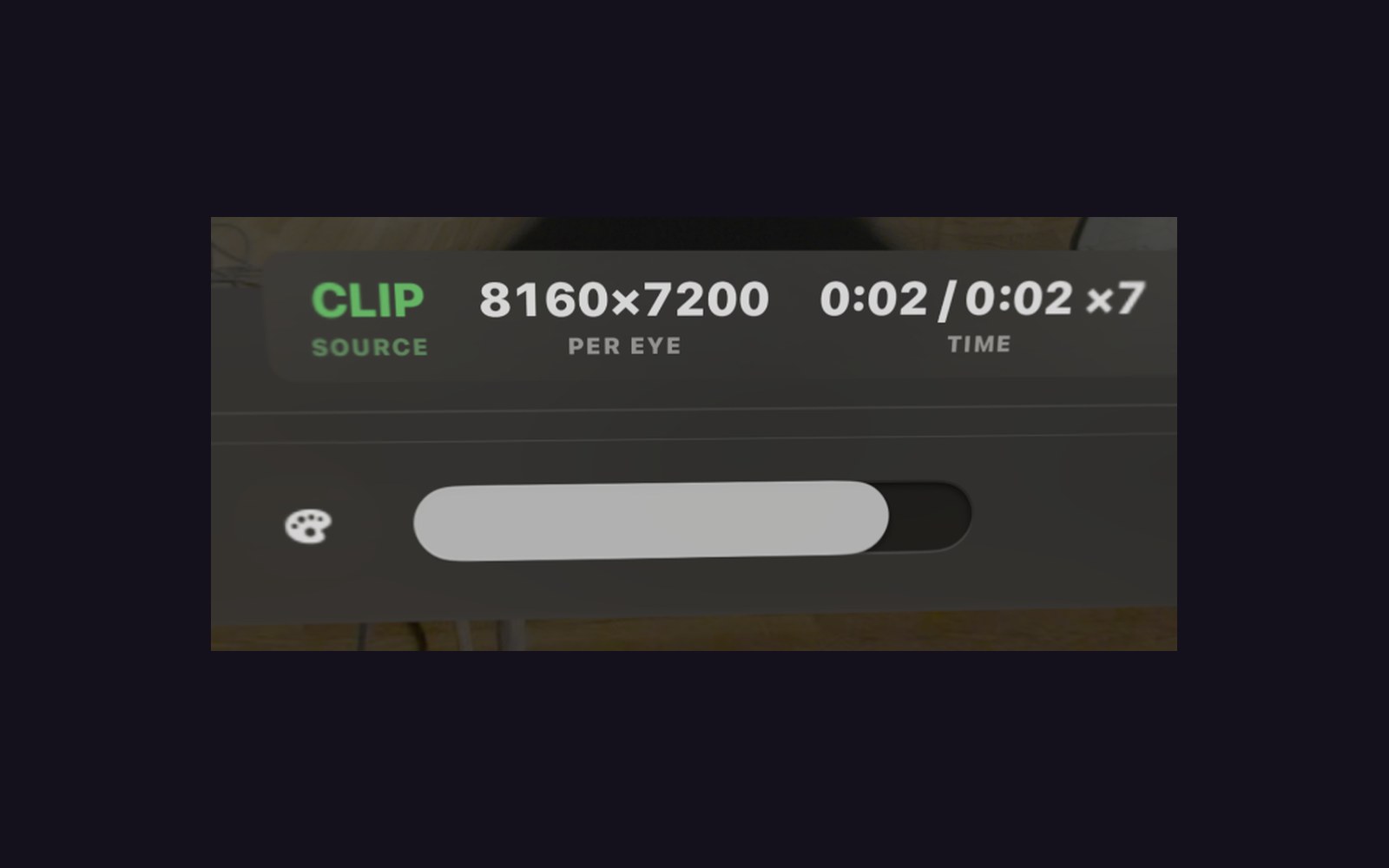
Drop Blackmagic RAW into the hub and it renders Clips — full-native dailies, 8160×7200 per eye, sent to every headset wirelessly. Review takes in the calibrated dome with color correction, slow motion, freeze frame, and audio — right in the headset.
“The monitor was lying. And here’s the harder part. It’s still lying on immersive productions all over town every single day.”
— Matthew Celia, Light Sail VR, speaking at AWE 2026
Videos
Tutorials to get you started.
Learn all the methods of plugging in to URSee and getting the best results from your URSA Cine Immersive camera.
First live stream, end to end
From the camera's SDI output through an UltraStudio Mini Recorder 12G into URSee Streamer — and live in the headset.
Lens calibration, once
Pull each camera's unique ILPD lens profile with URSee Streamer's built-in lookup, and it reaches every headset automatically.
URSee on Vision Pro
The headset side of the system: live playback from the URSA Cine Immersive, inside the URSee app.
Roadmap
Where it goes next.
- URSee Remote on iPad, with direct-wired capture · full camera control and a plugged-in monitor on one cart-friendly screen.
- SMPTE 2110 over 100G fiber · built on the same driver family as Blackmagic's entire capture line, from $100 dongles to the 100G IP ecosystem. 60fps-to-headset lives here too.
- Mixed camera systems beyond the URSA
FAQ
Common questions.
Can the Blackmagic URSA Cine Immersive livestream by itself?
No. The camera records Apple Immersive Video but has no way to stream it live — which is why URSee exists. Its SDI monitor output goes into a DeckLink or UVC capture device, and URSee delivers it live to every Apple Vision Pro on set.
How do you monitor Apple Immersive Video live on set?
With URSee: a Mac running URSee Streamer ingests each camera over SDI and streams to every Vision Pro wirelessly, or over a Thunderbolt cable to the Developer Strap. Each viewer wears a headset and sees the shot as immersive video, projected in a lens-calibrated 3D dome.
How many Vision Pro headsets can watch at once?
There is no fixed limit. Every headset picks its own camera independently — the director, DP, producer, and even on-screen talent can each watch a different feed at the same time without affecting anyone else.
What is the latency?
60–70 milliseconds glass-to-glass, measured on device and displayed live on-glass, at 4K DCI. Wired Thunderbolt viewers stream up to 200 Mbps.
Does it work in the field without a Mac?
Yes. For field monitoring, the camera's SDI output feeds a UVC capture dongle connected by USB-C to the Vision Pro's Developer Strap — no Mac, no network, with the lens calibration file loaded from Files.
What frame rate reaches the headset?
29.97 — the URSA's native SDI monitoring cadence: every frame the camera's monitor output makes.
Does it work with other cameras?
URSee is built for the URSA Cine Immersive and its immersive 180° stereo output. For regular 2D cameras — any SDI or UVC source — there is DeckSee, our companion multicam monitoring system for Apple Vision Pro.
How much storage does an immersive shoot day need?
Plan around the camera, not the apps. Blackmagic RAW from the URSA Cine Immersive runs about 0.9GB per second — call it 3.2TB per hour of rolling — so the camera's 8TB media holds roughly two and a half hours. Offload to a fast NVMe SSD over Thunderbolt or USB4 between setups rather than waiting for wrap, budgeting raw hours × 3.2TB: a studio day with two hours of rolling is about 6.5TB, one 8TB offload drive. Clips, URSee's rendered dailies, land on the host Mac at about 4% of the raw — plan roughly 120GB of Mac storage per hour of footage you'll review, and reclaim it anytime by clearing clips from the library.
Where do Clips — URSee's dailies — live, and will they fill the headsets?
Clips are full-native HEVC renders of your takes, built for Vision Pro playback at about 4% the size of the raw — roughly 1GB per 30-second take. URSee Streamer reads the camera raw in place and never writes to an offload drive — your media stays exactly as the DIT left it. The rendered library lives on the host Mac, at about 120GB per hour of reviewed footage, reclaimable anytime by clearing clips. And the headsets never store the library: each keeps a size-capped cache that evicts the oldest clips automatically and re-downloads on demand, so headset storage is never a planning concern.
Support
The manual.
Setup, calibration, wired and wireless monitoring, and troubleshooting — all three apps in one guide.
Get in touch
Shooting immersive? Let's Talk.
Spatial Sense is available for live immersive monitoring contracting. If you are shooting Apple Immersive content, let's chat.